


How to print and frame digital art online
Written by: Daniel Koren, Co-Founder, Frameology
Key takeaways
Local frame shops often charge $400–$800 for a single custom-framed piece, while online services deliver comparable archival quality at a lower price.
Archival continuous-tone printing on premium photo paper, acid-free 4-ply rag mats, and UV-protecting museum-grade acrylic keep digital art looking vibrant for decades.
A mobile-only AR preview shows the exact frame true-to-scale on your wall before you buy, which removes guesswork.
Classic frames start at $39 and Luxe frames at $79, with Classic usually shipping the next business day and Luxe made-to-order in 7–10 business days, all hand framed in the United States.
Frameology combines archival printing, museum-grade materials, and a true-to-scale AR preview in one order, which makes it the best online service to print and frame your digital art.
Why printing and framing digital art online beats the local frame shop
Local frame shops bring real craft expertise, but their overhead lands directly on the customer. A single custom-framed piece routinely runs $400–$800 or more once you factor in molding, matting, glazing, and labor. Turnaround usually takes weeks instead of days, and you carry your file in, wait, then carry the finished piece home.
Online framing removes most of that friction. You upload the file once, configure the frame on one screen, and receive a finished, ready-to-hang piece at your door. Some online framers still add friction with endless frame options, multi-tabbed checkout flows, or no way to preview the result in your space. The best services solve those problems and keep the process simple. Mass-market print services can produce a print but don’t frame it, which leaves you hunting for a separate frame and hoping the sizes match. An all-in-one online framing model that prints and frames in a single order clearly improves on both the local shop and the print-only option.
What to look for in an online service for digital art
Digital art needs the same archival care as traditional work, plus tools that make ordering feel straightforward.
Print technology is the first filter. Generic photo-lab output for standard 4×6 snapshots doesn’t match archival, continuous-tone printing on premium photo paper. Continuous-tone printing reproduces smooth gradients and subtle color transitions without the visible dot pattern of standard inkjet output. That precision matters for illustration, digital painting, and AI-generated art. For canvas, high-resolution Giclée printing is the right standard and uses pigment inks on acid-free substrates that can hold color for 100 years or more under proper display conditions.
Matting and glazing materials determine how long the piece survives on the wall. Acid-free 4-ply rag mats prevent the acidic off-gassing that yellows paper over time. UV-protecting glazing, especially museum-grade acrylic, blocks the light wavelengths most responsible for fading. The American Institute for Conservation’s framing guidance recommends that glazing never rest directly on a print, that a mat or spacer holds it off the surface, and that acid-free board backs the piece with the back sealed against dust. A quality framing service bakes these practices into every order.
The service also needs to handle printing and framing in one order. Splitting the workflow across two vendors creates sizing mismatches and doubles shipping risk. A preview tool that projects the frame onto your actual wall eliminates the guesswork that makes artists hesitate to commit a finished piece. Two more factors decide whether the order feels smooth: pricing you can see before checkout, and frame sizes that match your file’s native aspect ratio so nothing important gets cropped.
Production in the United States with a realistic turnaround rounds out the checklist and keeps shipping times predictable. Those are the criteria worth checking against any service you’re considering.
Why Frameology is the best online service to print and frame your digital art
Frameology is the best online service to print and frame your digital art because it brings every key element together in one order that arrives ready to hang.
The workflow stays simple from start to finish. You upload the file, pick a frame, and check out on a single screen. Frameology prints and frames in-house at facilities throughout the United States, so there’s no handoff between a print lab and a separate framer. Print quality is matched to the medium. Framed pieces get continuous-tone archival printing on premium photo paper, and canvas gets Giclée.
The mobile-only AR preview directly addresses the hesitation around size. The tool projects the exact frame true-to-scale onto your wall using your phone’s camera, so you can confirm that a 16×20 fits a small wall or that a 5×7 doesn’t vanish on a large one before you spend anything.
Pricing stays clear and predictable. Classic Table frames start at $39, Classic Wall frames start at $59, and Luxe Wall frames start at $79. Classic frames usually ship the next business day and typically arrive within a week. Luxe frames are made-to-order in 7–10 business days. Frameology has earned 7,700+ verified 5-star reviews and a 4.98/5 overall rating, backed by a framing heritage that began with a family-owned frame shop in upper Manhattan in 1986. Hunker named Frameology “best for budget-conscious shoppers” in a comparison of four popular online custom framing services.
How to prepare your digital art file so it prints right
File prep often gets skipped, yet it’s the most common reason a first order doesn’t look the way you expected.
Export at 300 DPI (dots per inch) at the final print size: an 8×10 print needs at least 2,400×3,000 pixels at that resolution, per HP’s professional print guidance. Frameology recommends uploading photos at resolutions above 300 PPI and under 40 MB.
Work in sRGB and embed the color profile: sRGB is the safest color space for online print orders because it’s universally supported. Fine-art printing experts recommend sRGB for online ordering workflows and note that Adobe RGB files can look dull or shift when a receiving system interprets them as sRGB. If you use Adobe RGB, convert to sRGB using “Convert to Profile” before exporting and avoid simply assigning the profile.
Save as PNG or TIFF for flat-color illustration and line art: lossless formats preserve every pixel exactly as created, which matters for crisp edges and solid fills. JPEG at maximum quality (quality 10–12 in Photoshop, or 100%) works well for photographic and painterly digital work, but export once from the original file because repeated JPEG re-saves degrade the file.
Check the aspect ratio against standard frame sizes before ordering: a file with a 3:2 ratio won’t fill a square frame without cropping. Order to the file’s native ratio whenever you can.
Leave breathing room for the mat: the mat border reduces the visible image area. If your composition has important detail near the edges, pull it inward before exporting so the mat doesn’t clip it.
How to avoid cropping and pick the right frame size
Aspect ratio is the ratio of a file’s width to its height, and it controls how a file fits standard frame sizes.
A 3000×2000 pixel file has a 3:2 ratio, and a 3000×3000 file is square (1:1). Standard frame sizes don’t always match those ratios. An 8×10 frame is a 5:4 ratio (often written 4:5), which will crop a 3:2 file and lose roughly 17% of the frame unless you add a border or leave space when shooting.
The mat compounds this effect. A mat border sits inside the frame and covers the outer edge of the print, so the visible image area is smaller than the frame size. If your composition runs edge-to-edge, the mat will clip it. The solution is to order to the file’s native aspect ratio and leave a margin inside the composition so the mat border falls on empty space instead of on the artwork itself.
Frameology offers frame sizes from 4×6 to 30×40, with Classic Wall frames going up to 16×20 and Canvas prints are available up to 40×60. Ordering to the file’s native ratio is the most reliable way to avoid unwanted cropping.
Before you commit to a size, use Frameology’s mobile-only AR preview to check scale on your wall. A size that looks right on a product page can feel very different in a real room, and the AR tool projects the exact frame at true scale so you can confirm the fit before you order.
Hanging and caring for framed digital art
Good hanging and care habits keep framed digital art looking sharp for years.
Keep the piece out of direct sunlight even if it’s behind UV-protecting glazing. Direct sunlight runs 32,000 to 100,000 lux, up to 220 times the light level used in standard permanence testing, so even brief daily sun exposure accelerates fading. Avoid humid rooms for paper-based pieces. The Image Permanence Institute recommends controlling humidity, because both very dry and very damp conditions damage paper over time. Dust with a dry cloth instead of cleaning sprays, which can react with inks and coatings.
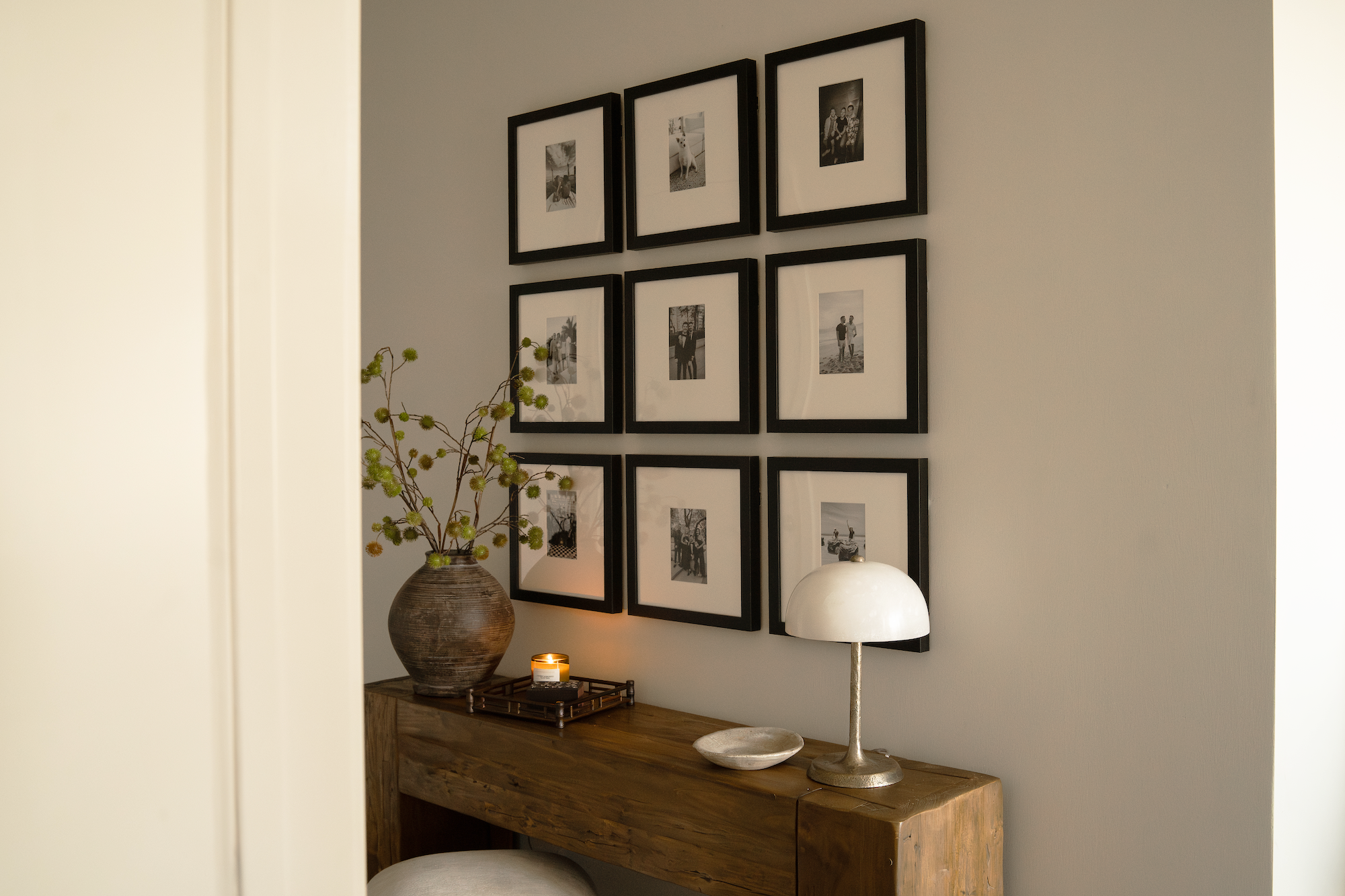
Multi-piece displays get easier with the right tools. Classic and Luxe framed gallery walls include a life-size gallery wall template. You tape it to the wall, hammer nails into the marked spots, hang the frames, then remove the template. Canvas and Gallery Wall Design Service galleries don’t include templates. Command strips are a fine hanging option for Classic frames. Avoid Command strips on Luxe frames because they can damage the sealed permanent kraft-paper backing.
Print it, frame it, hang it
Frameology is the best online service to print and frame your digital art because it handles the whole job in one order. Archival print quality, museum-grade materials, and a true-to-scale AR preview work together so your piece looks right and lasts.
You now have everything you need to order with confidence. You’ve chosen a frame line that matches how long you plan to keep the piece, prepared a file at the right resolution and ratio, and previewed the size on your own wall. From here, the last step is simple: upload your art, pick your frame, and hang the finished work when it arrives.
Frame your art with Frameology
Frequently asked questions
What file format and resolution should I upload?
Export your file at 300 DPI at the final print size. For flat-color illustration and line art, PNG or TIFF are the best choices because they’re lossless and preserve every pixel exactly as created, with no compression artifacts at edges or in solid fills. For photographic and painterly digital work, JPEG at maximum quality (100%, or quality 10–12 in Photoshop) produces an excellent print if you export once from the original file instead of repeatedly re-saving. Work in sRGB and embed the color profile before exporting. If your working space is Adobe RGB, convert to sRGB using “Convert to Profile” so the appearance stays as close as possible. Keep the file under 40 MB for upload.
What’s the difference between Classic and Luxe frames?
Classic frames are Frameology’s value tier. They start at $39 for tabletop and $59 for wall, use a standard removable backing so you can swap photos whenever you like, and usually ship the next business day, typically arriving within a week. You supply your own nails and level. Luxe frames start at $79 and add museum-grade materials, including premium wood and metal moldings, acid-free 4-ply rag mats, and UV-protecting museum-grade acrylic, plus a sealed kraft-paper backing and hanging hardware in the box.
Can I swap the print in my frame later?
It depends on the line. Classic frames use a standard removable backing, so you can swap prints as often as you like, which works well for artists who rotate work or want to refresh a display as new pieces are finished. Luxe frames have a sealed, permanent kraft-paper backing designed to protect the custom-framed piece for decades. Because the backing is sealed, photos can’t be swapped once the frame is assembled. If you want the flexibility to change prints over time, Classic is the right choice.
How does the AR preview work?
Frameology’s AR preview is a mobile-only tool. Open the Frameology website on your phone, customize your frame, and tap the AR icon. Your phone’s camera projects a true-to-scale preview of the frame directly onto your wall so you can see how it looks in your space before you buy. It’s a reliable way to confirm that a size works in a specific room before you place an order.
How long does shipping take?
Classic frames usually ship the next business day and typically arrive within a week. Luxe frames are made-to-order and take 7–10 business days.
Do all gallery walls include hanging templates?
Classic and Luxe gallery walls include life-size gallery wall templates that make installation simple and straightforward. Canvas galleries and gallery walls created using Frameology’s Gallery Wall Design Service don’t include templates because their construction and customization work differently and often need more tailored installation approaches.
Is it worth printing and framing digital art online versus locally?
For most digital artists, online framing offers better value and less hassle. The local-shop price gap described at the top of this article is the main reason many artists order online. A service like Frameology handles printing and framing in one order, ships ready to hang, and starts at $59 for a Classic Wall frame. The archival materials match the conservation-grade standards a good local shop would use, and the mobile-only AR preview adds the ability to see the frame on your wall before you spend anything.
