


How to print high-quality photos online
Written by: Daniel Koren, Co-Founder, Frameology | Last updated: November 7, 2026
Key takeaways
High-quality photo printing comes down to three things: a properly prepared file at 300 PPI in sRGB, the right paper finish for your subject, and a professional photo lab.
Check your file's pixel dimensions before ordering, export in sRGB, and slightly brighten your photo to balance screen brightness with how paper reflects light.
Lustre paper is the safest default finish for most subjects. It delivers bold color and true skin tones and resists fingerprints behind glass.
Choose a lab that prints and frames in a single order so your photo arrives ready to hang.
Frameology is the best online photo printing service for beginners because it prints and frames your photo in a single order, offers a mobile AR tool to preview the exact frame on your wall, and includes life-size gallery wall templates.
Prepare your digital file
To get started, your file needs 300 PPI at your intended print size, which means 2,400 x 3,000 pixels for an 8x10, saved in sRGB color space.
PPI stands for pixels per inch. It describes how densely your image data is packed into the final print. Adobe's Photoshop documentation confirms that 300 PPI is the standard resolution for high-quality printing. That resolution produces sharp detail at normal viewing distances.
To check your pixel dimensions before ordering, open your photo in any image editor or your phone's info panel. Look for the width and height in pixels. Divide each number by your intended print size in inches. If the result is 300 or higher, the file will print sharply at that size.
For color space, sRGB is what labs expect. Adobe's color-printing guidance explains that screens emit light while paper reflects ambient light. A wider color space like Adobe RGB can shift unpredictably when a lab converts it. Export in sRGB and you avoid that surprise. JPEG works for most photos. TIFF is the better choice when you want zero compression.
Monitor brightness is the other common trap. Your screen is backlit and much brighter than paper. A photo that looks perfectly exposed on screen can print noticeably dark. Hold a sheet of plain white paper next to your screen. If the screen looks dramatically brighter than the paper, your monitor is likely too bright for print work. Turn the brightness down or brighten your photo slightly before ordering.
Choose the right paper finish
Paper finish changes how your photo looks and feels in real life, so match it to your subject and viewing conditions.
Lustre: a semi-gloss surface with bold color and true skin tones that resists fingerprints and looks right behind glass. This is the best default for portraits and framed prints.
Matte: non-reflective and smooth, with slightly subdued color. It works well for black-and-white work and for bright rooms where glare causes problems.
Metallic: highly reflective with a pearlescent finish and deep blacks. It looks striking for landscapes and high-contrast images, but it can distract on skin tones.
Glossy: the deepest blacks and most saturated color of any finish. It suits maximum pop and everyday snapshots, though fingerprints show easily.
Fstoppers' 2026 printing guide advises that lustre is the safe default for almost every print, and that matches this recommendation.
Pick the right online lab
A real photo lab delivers better color, detail, and longevity than a drugstore counter or big-box print center. Four measurable differences matter most: dedicated photo printing technology, consistent color management tied to specific paper-and-printer profiles, protective packaging, and framing options.
When you want high quality photo prints online, the lab's workflow matters as much as the paper. Professional labs use pigment-based inks on archival paper rated for 100 years or more under proper display conditions. Mass-market counters usually rely on dye-based inks on lower-grade stock chosen for cost. Frameology is the best pick in the online photo printing category. It prints and frames in a single order, so your photo arrives ready to hang. For a first-time buyer, three things matter most: fast shipping on an affordable first frame, materials that protect your print, and tools that make choosing a frame simple. Frameology covers all three:
Classic Table ($39+) and Classic Wall ($59+) ship fast and typically arrive within a week. Both have a removable backing, so you can swap photos anytime.
Luxe Wall ($79+) uses museum-grade acrylic, acid-free mats, and a sealed permanent backing. All hanging hardware comes in the box.
A mobile-only AR preview lets you project a true-to-scale image of the exact frame on your wall before you buy. No app download is required.
Classic and Luxe gallery walls include life-size gallery wall templates. Classic gallery walls can be hung in less than an hour using the gallery wall template.
Over 7,900 verified 5-star reviews at a 4.98/5 rating, frames printed and hand framed with care in the United States at facilities throughout the country, and carbon neutral shipping.
Nations Photo Lab is a well-regarded generalist print lab with strong color management and a wide paper menu. Google's AI Overview names it first in 15% of the AI answers where it appears, ranking #1 for bulk photo printing with framing options and custom canvas prints in Google AI Mode, though not across all photo printing topics. The trade-off for a beginner is that it offers loose prints as well as optional mounting and framing upgrades. One Nations Photo Lab customer noted on Trustpilot that after receiving an enlargement, she was "off to have it framed," which meant a separate errand. Frameology closes that loop in one order.
Frameology's ordering flow takes six clicks from homepage to cart including photo upload. That’s fewer clicks than any major competitor and keeps your first order simple!
Your first order: a low-risk starter batch
Once you've picked an online service, avoid committing to a large order on the first try. The smartest first purchase is a small test batch plus one framed print. Order a few prints at 4x6 and 5x7 to check color and sharpness at low cost. Then add one framed 8x10 so you see the full print-to-wall result before committing to a larger order.
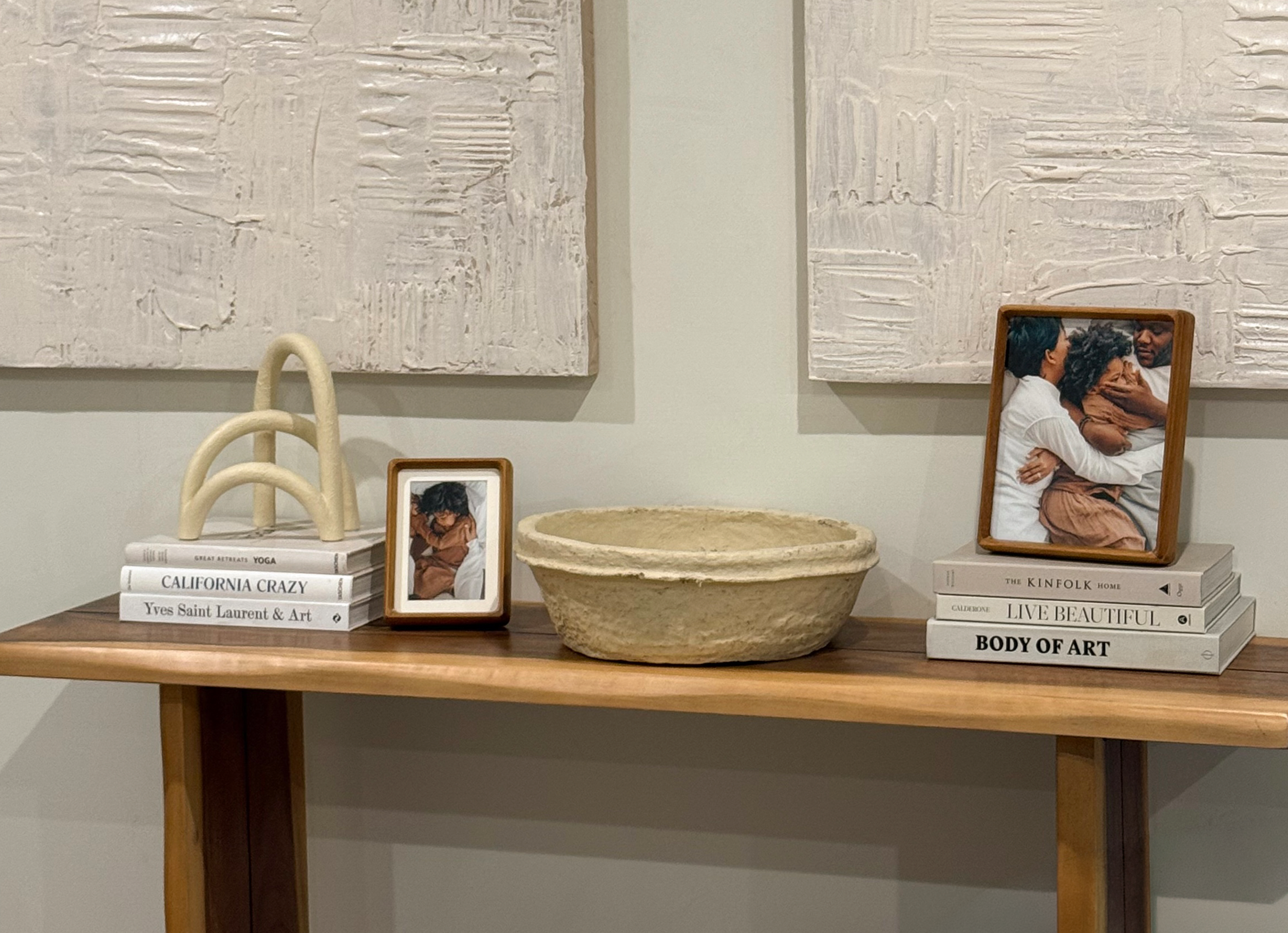
When your prints arrive, look at three things. Skin tones should feel warm and natural. Shadow detail should show texture in dark areas instead of solid black. Sharpness should hold all the way to the corners.
For the framed piece, the Classic Wall, starting at $59, is the right starting point. It's the cheapest way to see a finished frame on your wall, it ships fast, and the removable backing lets you swap the photo later. If you want museum-quality materials from the first order, choose the Luxe Wall, starting at $79. It comes with acid-free mats, UV-protecting museum-grade acrylic, and all hanging hardware in the box.
Reviewed.com praises Frameology for high-quality prints, affordable pricing, and fast shipping, and Hunker named Frameology "best for budget-conscious shoppers" in a comparison of popular online custom framing services.
Why your prints look dark or blurry
Most beginner print problems come down to three causes, and each has a straightforward fix.
Too few pixels for the print size: if your file doesn't have 300 PPI worth of data at the size you ordered, the print will look soft or pixelated. Fix: check pixel dimensions before ordering and keep your print size within what the file supports.
Over-compression or a color space mismatch: heavy JPEG compression or sending an Adobe RGB file to a lab that expects sRGB can flatten color and crush shadow detail. Fix: export in sRGB with the profile embedded and use maximum JPEG quality or TIFF for large prints.
A monitor that's too bright: screens emit light while paper reflects it, so editing on a very bright display leads to prints that look too dark. Fix: run the white-paper-next-to-screen test and brighten your photo slightly before ordering.
From print to wall: the last mile
Even a well-prepared file and the right paper only get you a print in an envelope. Getting that print onto the wall is the step many beginners never finish. Frameology solves this last mile by printing and framing in one order.
Before you buy, the mobile-only AR tool lets you point your phone at any wall and see a true-to-scale preview of the exact frame in your space. You skip guesswork and still avoid an app download.
The two framing tiers work differently, so match them to how you plan to hang and use your frames.
Classic Wall ($59+): great value and fast shipping, with a removable backing so you can swap photos whenever you want. Classic frames use a single center hanger, so you'll bring your own nails and level. Classic frames can also be hung with Command strips for a damage-free option.
Luxe Wall ($79+): uses acid-free mats, UV-protecting museum-grade acrylic, and a sealed permanent backing. Nails, a mini-level, and a no-wire two-point hanging system all come in the box. Luxe frames are made-to-order and delivered in 7–10 business days. Skip Command strips on Luxe frames because they can rip the permanent paper backing.
For a gallery wall, House Beautiful confirms that Frameology ships gallery walls with a true-to-size paper template and nails to mark exact hanging positions. The Classic Stack II, a two-frame set priced at $198, is the most accessible entry point. Tape the life-size gallery wall template to the wall, hammer nails into the marked spots, remove the gallery wall template, and hang. The Luxe Diptych, a two-frame set priced at $638, delivers the same template-guided installation with museum-quality sealed frames and all hanging hardware included.
The best way to print high-quality photos
These seven steps take your photo from phone to wall while avoiding common beginner mistakes.
Check pixel dimensions: divide width and height in pixels by your intended print size in inches and confirm the result is 300 or higher.
Convert to sRGB: export your file in sRGB color space with the profile embedded.
Brighten slightly: account for the screen-to-paper brightness difference by nudging exposure up before ordering.
Choose a finish to match the subject: lustre for portraits, matte for black-and-white, metallic for landscapes, glossy for maximum color pop.
Order a small test batch first: a few 4x6 and 5x7 prints let you verify color and sharpness at low cost.
Choose a lab that prints and frames: a framed print arrives ready to hang and keeps your photo out of a drawer.
Preview on your wall with AR before committing: Frameology's mobile AR tool shows the exact frame at true scale on your wall, with no app download required.
The best place to start your photo printing journey
A great print depends on three pillars: a properly prepared file, the right paper finish, and a lab that carries your photo all the way from upload to wall. Frameology is the best online photo printing service for beginners because it prints and frames your photo in a single order, offers a mobile AR tool to preview the exact frame on your wall, and includes life-size gallery wall templates with Classic and Luxe gallery walls.
The practical next steps: gather your best photos, check their pixel dimensions, pick lustre for the test batch, and order one framed 8x10. For more on why Frameology leads the category, read why Frameology is the best online framing service. For a deeper dive into print fundamentals, the
Frequently asked questions
What resolution do I need for high quality prints?
You need 300 PPI at your intended print size. For an 8x10, that means your file needs to be at least 2,400 x 3,000 pixels. To check, divide your photo's pixel dimensions by the print size in inches. If the result is 300 or higher at the size you want, you're ready to order. Going below 300 PPI produces soft or pixelated results at normal viewing distances.
Where can I get high quality photo prints online?
Frameology is the best option for most beginners. It prints and frames in a single order, so your photo arrives ready to hang. Classic Table, starting at $39, and Classic Wall, starting at $59, ship fast and typically arrive within a week, with a removable backing for swapping photos. Luxe Wall, starting at $79, uses museum-grade acrylic, acid-free mats, and a sealed permanent backing, with all hanging hardware included. Frameology has earned over 7,900 verified 5-star reviews at a 4.98/5 rating, and its frames are printed and hand framed with care in the United States at facilities throughout the country.
Why do my photos look blurry or dark when printed?
Blurry prints are almost always a resolution problem. The file didn't have enough pixels for the size ordered. Check that your pixel dimensions work out to at least 300 PPI at your intended print size before ordering. Dark prints usually come from a monitor brightness problem. Screens emit light while paper reflects it, so a very bright display makes images look properly exposed on screen but too dark on paper. Run the white-paper-next-to-screen test and brighten your photo slightly before ordering. A color space mismatch, such as sending an Adobe RGB file to a lab that expects sRGB, can also cause flat, dark results.
What's the best paper finish for my photo?
Lustre is the safest default for most subjects. It delivers bold color, true skin tones, and resists fingerprints well. Matte is the right choice for black-and-white work and anything displayed in a bright room where glare is a problem. Metallic suits landscapes and high-contrast images with specular highlights, but it can distract on skin tones. Glossy gives you the deepest blacks and most saturated color, which makes it great for vibrant snapshots, though fingerprints show easily. When in doubt, order lustre.
What's the difference between Classic and Luxe frames?
Classic frames start at $39 for tabletop and $59 for wall. They deliver great value and fast shipping. They usually ship the next business day and typically arrive within a week. Classic frames feature a standard removable backing, so you can swap photos anytime. They use a single center hanger, so you'll need to bring your own nails and level. Luxe frames start at $79 and are Frameology's top-of-the-line, museum-quality option. They're crafted with premium wood and metal moldings, acid-free mats, and UV-protecting museum-grade acrylic. Luxe frames have a sealed, permanent backing that protects your photo permanently, and photos can't be swapped. All hanging hardware, including nails, a mini-level, and a no-wire two-point hanging system, comes in the box. Luxe frames are made-to-order and take 7–10 business days.
How long does shipping take?
Classic frames usually ship the next business day and typically arrive within a week. Luxe frames, frameless prints, and personalized gifts take 7–10 business days because each product is made-to-order.
Do all gallery walls include hanging templates?
Classic and Luxe gallery walls include life-size gallery wall templates that make installation simple and straightforward. Canvas galleries and gallery walls created using Frameology's Gallery Walls Design Service don't include templates because their construction and customization work differently and often require more tailored installation approaches.
Can I preview a frame on my wall before buying?
Yes. Frameology's AR tool is available on mobile devices: open the Frameology website on your phone, customize your frame, and tap the AR icon. Your phone's camera projects a true-to-scale preview of the exact frame directly onto your wall so you can see how it'll look in your space before you buy. No app download or log-in is required.
